
Figma Config ‘24 with Stevan Trbojević

Daniel Scott
@dan
Stevan is one of our wonderful BYOL experts and an incredible source of knowledge when it comes to Figma so I was curious to hear his thoughts on Figma Config ‘24 and thrilled when he agreed to share his insights with the BYOL community!
Figma Config is Figma’s annual design conference where they bring Figma users together to share feature launches and give the community the opportunity to connect and hear from industry experts.
Read on for Stevan’s thoughts on Figma Config ‘24 and then be sure to check out all my Figma Courses to dive into this powerful tool!
Tell us a little bit about yourself and your role at BYOL!
I've always been passionate about technology, which led me to pursue a coding career. In the beginning, I had no idea what career path was the right one for me, and I didn’t know much about different coding careers. The combination of creative and technical work is what attracted me to a career in web development and web design. Throughout my career, I’ve worked for web agencies, coding schools, and as a freelancer specializing in e-commerce web design and development. As a self-taught developer, I recognize the value of having guidance on the learning path. At BYOL, that’s exactly what I do: I help students with their questions and doubts and guide them towards their goals. Even though I love coding and design, helping others is what really drives me.
How did you first get started with Figma? What are some of your favorite Figma features?
Figma was a 'new kid on the block' in the web design space. As someone who enjoys experimenting with new technologies and tools, I jumped on it right away. Since I had experience with similar tools, the transition to Figma was smooth. After working with a few designs and exploring its features, I knew it would become my tool of choice.
Regarding features, I really appreciate how the Figma team aligns with actual development processes. They’ve included features that, in my opinion, closely resemble those processes better than any other tool. For instance, the way auto layout and constraints work are great examples of this.
What is Config? Why is it important?
Figma Config is an annual conference where product creators, designers, and developers come together to share their experiences, learn from each other, and explore the latest Figma features.

Dylan Field, Figma’s co-Founder and CEO live in Config 2024
Config is important because it offers design professionals and enthusiasts a chance to stay up to date with the latest design trends and tools. It features a variety of talks from great speakers and industry leaders, making it a valuable learning opportunity. Additionally, the community aspect of Config is crucial, as it fosters connections and collaboration within the design and Figma communities.
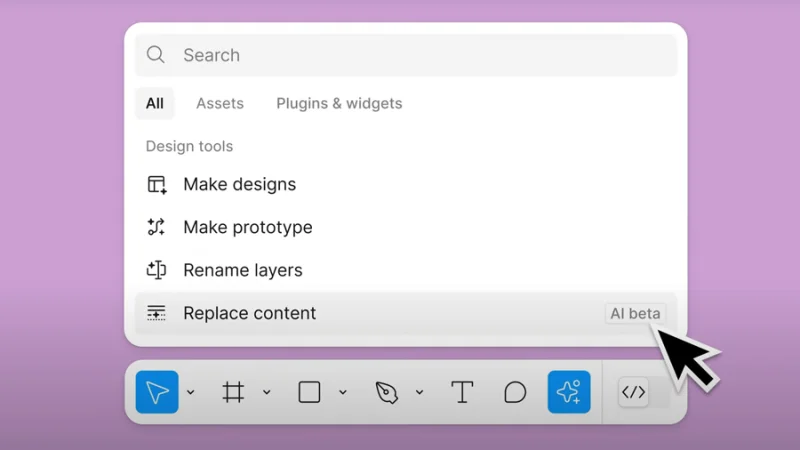
Figma new AI features user interface
What are some of the most exciting updates to come out of Config this year?
Some of my favorite updates from Config this year are the new AI features. For example, there’s the AI ‘rename layers’ feature, which takes layer content, location, and relationships into account to rename layers from generic names like ‘Frame 13914’ to something more descriptive.
Another exciting update is ‘Make Designs.’ This feature lets us create a starting point for designs by writing a prompt. You can even continue designing by adding more prompts, and Figma will adjust the design accordingly. While it’s not available yet, I’m really looking forward to trying it out once it is.
The ‘Make an Image’ feature is also quite useful. It generates images based on prompts, which will save me a lot of time since I often spend ages searching for the perfect images.
Anything UI/UX designers should be doing to get ready for these updates? And/or to make the most out of these updates?
Everyone using Figma should definitely be excited about these new updates - they’re truly amazing. However, there’s no rush to dive in right away. The features are still being polished and may have some bugs. Figma has announced that everything should be completely ready by 2025, when they’ll also release pricing for the new model.
In the meantime, the Figma blog and Figma Instagram account are great resources to stay updated. And if anyone from the BYOL community experiments with the new features, make sure to tag me in your posts. I love seeing how others are using these tools!
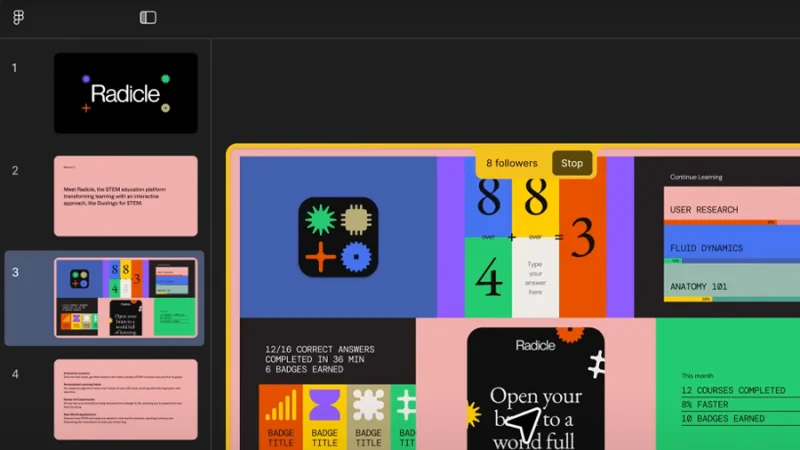
Figma Slides presentation at Figma Config 2024
Anything else I should have asked you?
One thing that is interesting to think about is the role of AI in the future of Figma and design in general. With all the exciting AI features coming to Figma, it’s increasingly important to become 'AI literate,' if I may put it that way. I believe AI will play a significant role in automating repetitive tasks and even in creative decision-making. It’s an exciting topic, and I’m eager to see how Figma will continue to lead the way in design innovation.
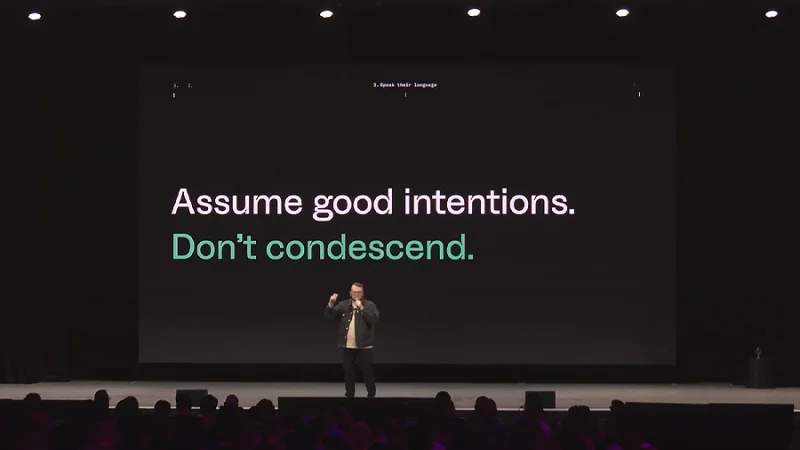
Tregg Frank - Pitching Accessible Design like a Pro
Thank you so much, Stevan! These are great insights and a reminder of what an incredibly powerful tool Figma is.
Next Steps
Curious to learn more about the power of Figma? When you become a BYOL member, you gain access to my Figma Essentials and Advanced course as well as my 30+ additional courses on After Effects, Photoshop, Illustrator, Lightroom, and more. As a BYOL member you will also enjoy personalized support, earn certificates, and tackle exciting community challenges. Head here to sign-up!
See you in class! – Dan
Popular posts
Adobe MAX 2025 - File Download
Daniel Scott
Modeling Shortcuts in Blender
Daniel Scott
Plugins in Illustrator
Daniel Scott
How to Straighten the Horizon in Photoshop
Daniel Scott
Go from zero to design hero with our awesome courses!


- Powered by Marvin
- Terms of use
- Privacy policy
- Cookie policy
-
- © Bring your Own Laptop Ltd 2026