🚨 Heads up! This course is no longer supported. We recommend checking out our Webflow Essentials course.

This lesson is exclusive to members

Course contents
SECTION: 2
Building our first mobile friendly web page 21:02
SECTION: 4
Creating the content for our website 41:11
SECTION: 5
Publishing 4:59
SECTION: 6
Conclusion 4:12
SECTION: 7
Cheat sheet & shortcuts 14:54

Questions

0
You are not following this thread
0
You are not following this thread
0
You are not following this thread
0
You are not following this thread
0
You are not following this thread
0
You are not following this thread
0
You are not following this thread
0
You are not following this thread
0
You are not following this thread
0
You are not following this thread
0
You are not following this thread
0
You are not following this thread
0
You are not following this thread
0
You are not following this thread
0
You are not following this thread
0
You are not following this thread
0
You are not following this thread
0
You are not following this thread
0
You are not following this thread

Course info

13 lessons / 2 hours

Overview

Do you want to earn more as a designer? Then stop telling everyone you’re ‘a designer, not a coder!’ It’s time you stopped missing out on a huge chunk of the income surrounding web design. If you’re a freelance, it’s time you stopped having to navigate the waters of finding and working with a coder. If you’re on staff, wouldn’t you like to be worth a lot more, and paid accordingly, because you bring more value to the company?

So before you start excusing yourself as a ‘visual’ kind of person, how about using Adobe Dreamweaver 2017 to learn, develop and deploy code within your web designs. You already know a lot about Dreamweaver, so I’d like to show you how to use the other half that you sometimes ignore because it’s hidden from view.

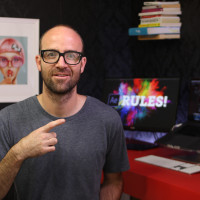
I’m Dan, a very experienced designer and teacher. I know design and code from years of work in the trenches as a freelance. I know how to get you to do it because I’ve spent the last few years teaching people just like you, with no previous knowledge, how to code.

You’ll learn by creating a portfolio website with the layout, graphics and code you need to sell your new skills. Or, finish your own website. To real world standards.

The new Dreamweaver 2017 has been specially redesigned to make code easier to see, easier to work with, and most importantly, easier to understand. And being an Adobe Certified Expert, I know what you can do with the new tools. I know exactly how to get you up to speed with enjoyable hands-on training that shows you how to use code and Dreamweaver 2017 the way they work best. Together.

If you’re a designer working on websites, it’s time you gained the other half of the skills it takes to get your designs online and working properly – without being at the mercy of someone else.

Upskill, take control, and create a lifelong foundation in understanding and creating code. You’ll not only be better as a designer; you’ll be far more valuable to your clients or employers.

It’s time you stopped avoiding half of your potential. It’s time you made yourself more in demand. It’s time you let me teach you code, from a designer’s perspective, with Dreamweaver 2017. Contact me now, and I’ll take you from zero to hero.

What are the requirements?

  • You'll need a copy of Dreamweaver CC 2017 or above. A free trial can be download from Adobe here.

  • No previous Dreamweaver or web design experience is necessary.

What am I going to get from this course?

  • 13 lectures 2 Hours 11 minutes of content!

  • You'll learn to build a portfolio website.

  • Download exercise files & cheat sheet.

  • Create mobile, tablet & desktop versions of the website.

  • Build a responsive navigation with burger menu.

  • How to get the most from your portfolio Images.

  • How to use beautiful web fonts in your designs.

  • How to publish your website.

  • How much to charge for your work.

  • How to get paid.

  • Getting up & running your first web job.

  • Forum support from me.

  • All the techniques used by professional website designers.

  • Ways to preview your designs straight to your mobile device.

  • Professional workflows and shortcuts.

  • A wealth of other resources and websites to help your new career path.

What is the target audience?

  • YES: This course is for beginners. Aimed at people new to the world of web design. No previous Dreamweaver experience is necessary.

  • NO: This course is NOT suited to people experienced in using HTML & CSS.

Course duration 2 hours + your own study.

Daniel Scott

Daniel Scott

Founder of Bring Your Own Laptop & Chief Instructor

instructor

I discovered the world of design as an art student when I stumbled upon a lab full of green & blue iMac G3’s. My initial curiosity around using the computer to create ‘art’ developed into a full-blown passion, eventually leading me to become a digital designer and founder of Bring Your Own Laptop.

Sharing and teaching are a huge part of who I am. As a certified Adobe instructor, I've had the honor of winning multiple Adobe teaching awards at their annual MAX conference. I see Bring Your Own Laptop as the supportive community I wished for when I was first starting out and intimidated by design. Through teaching, I hope to bring others along for the ride and empower my students to bring their stories, labors of love, and art into the world.
True to my Kiwi roots, I've lived in many places, and currently, I reside in Ireland with my wife and kids.

Downloads & Exercise files

  • Powered by Marvin
  • Terms of use
  • Privacy policy
  • Cookie policy
  • © Bring your Own Laptop Ltd 2026
Welcome to Our New Feature! - Everyone

Welcome to Our New Feature! - Everyone

We are excited to announce a brand new feature that will enhance your learning experience. Check it out now!